App
Bulk File Renamer
Rename hundreds of photos, videos and documents in one go. Preview every new name before anything changes, and undo any rename later. Works offline.


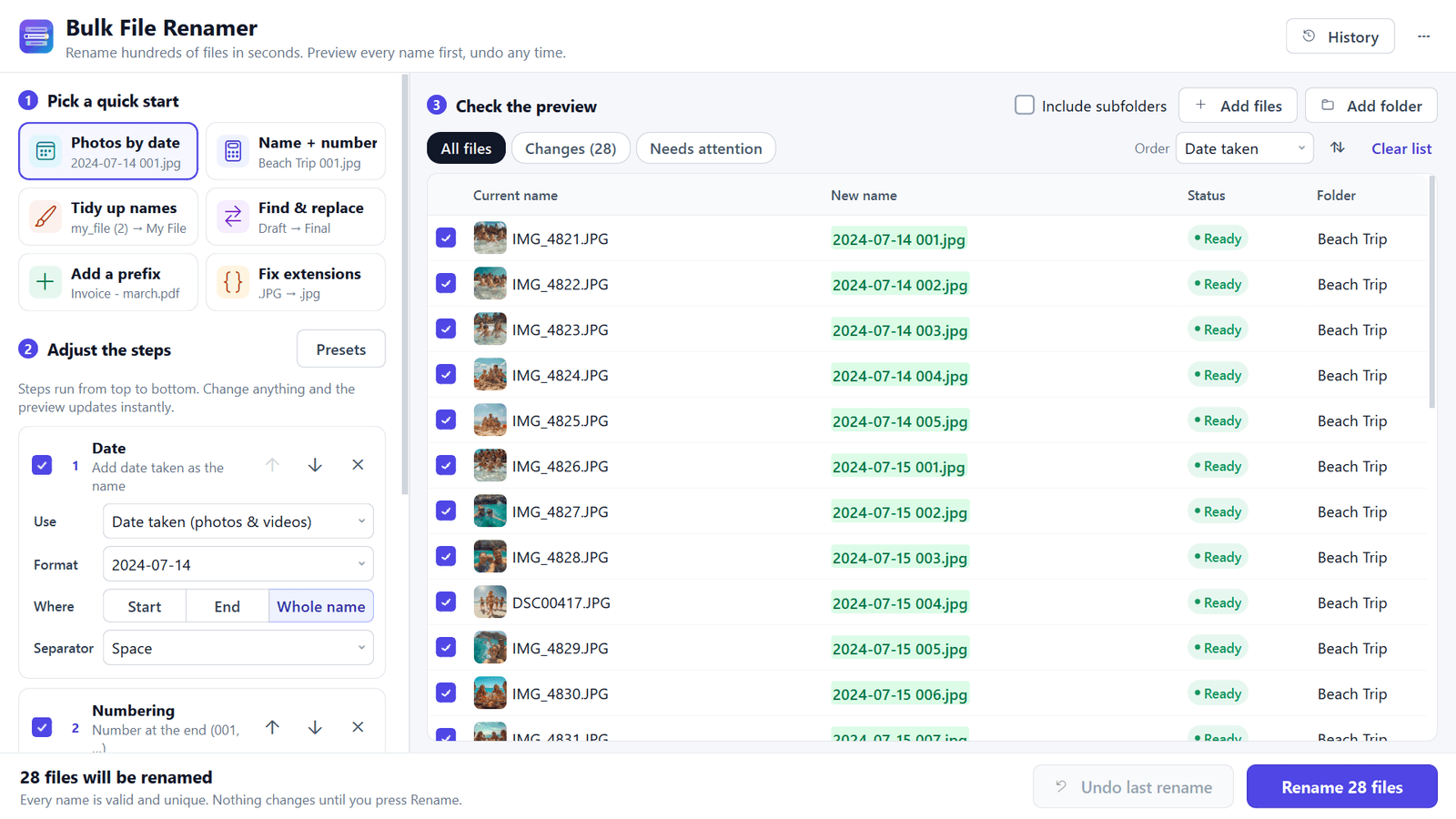
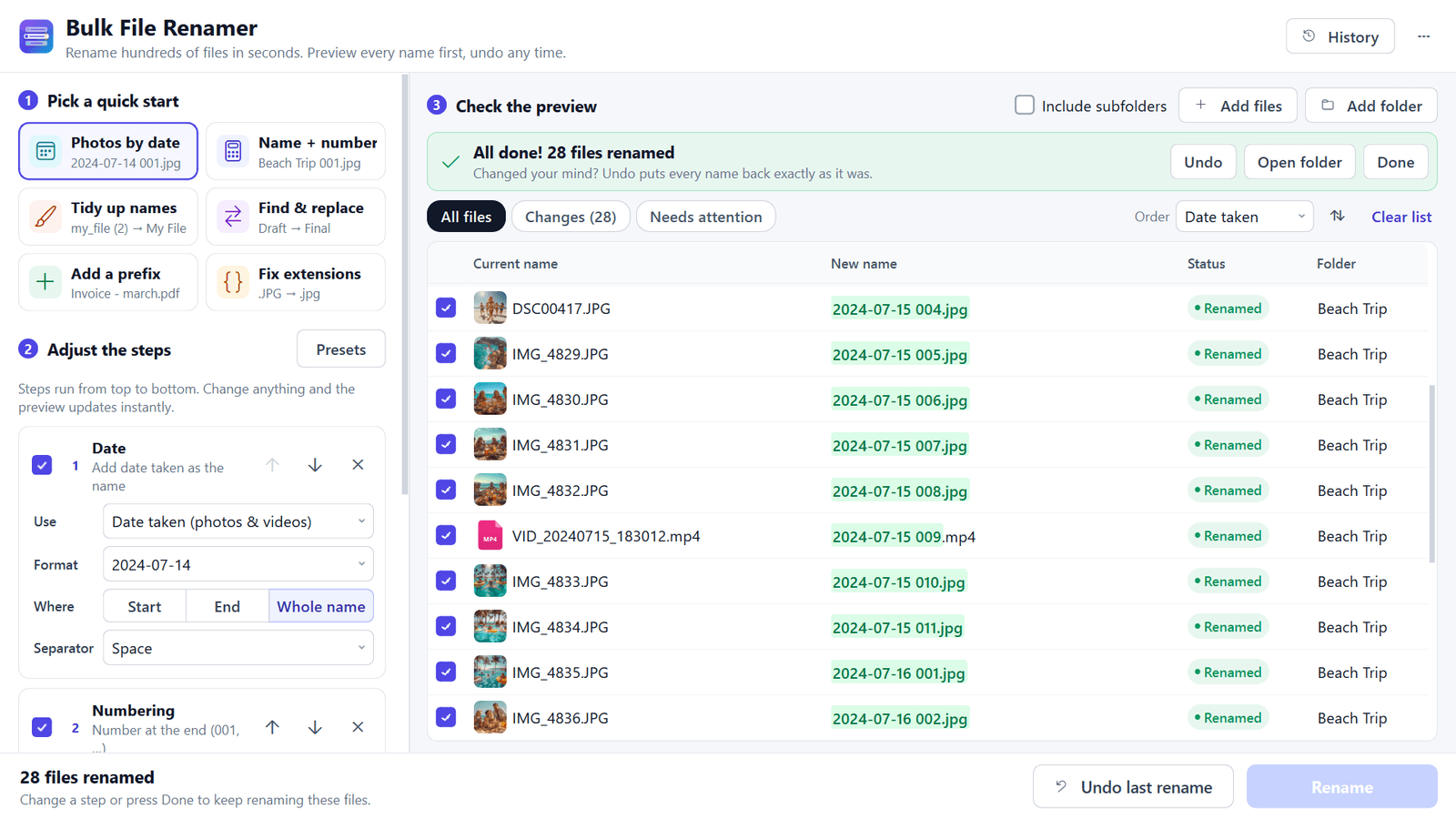
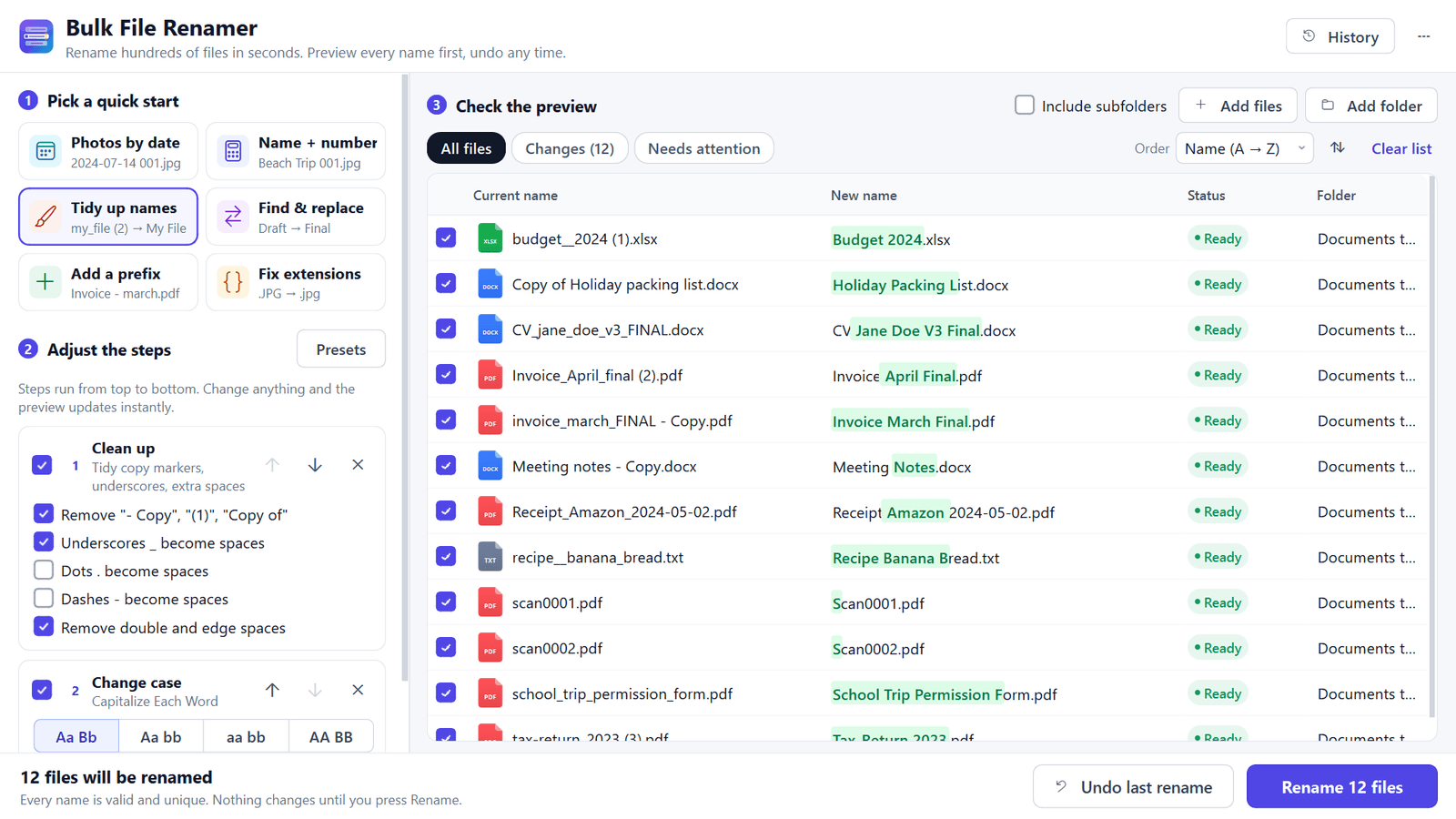
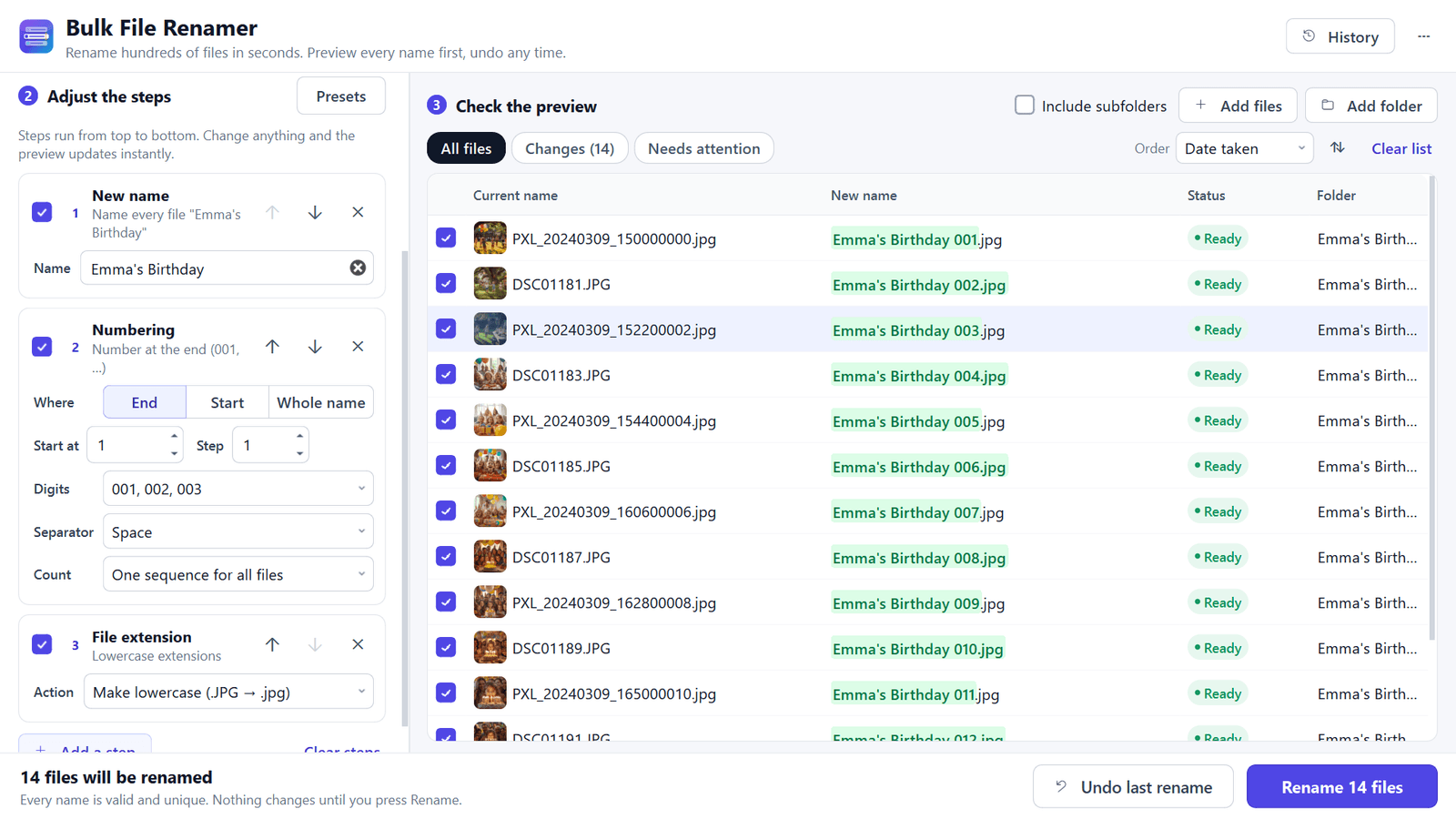
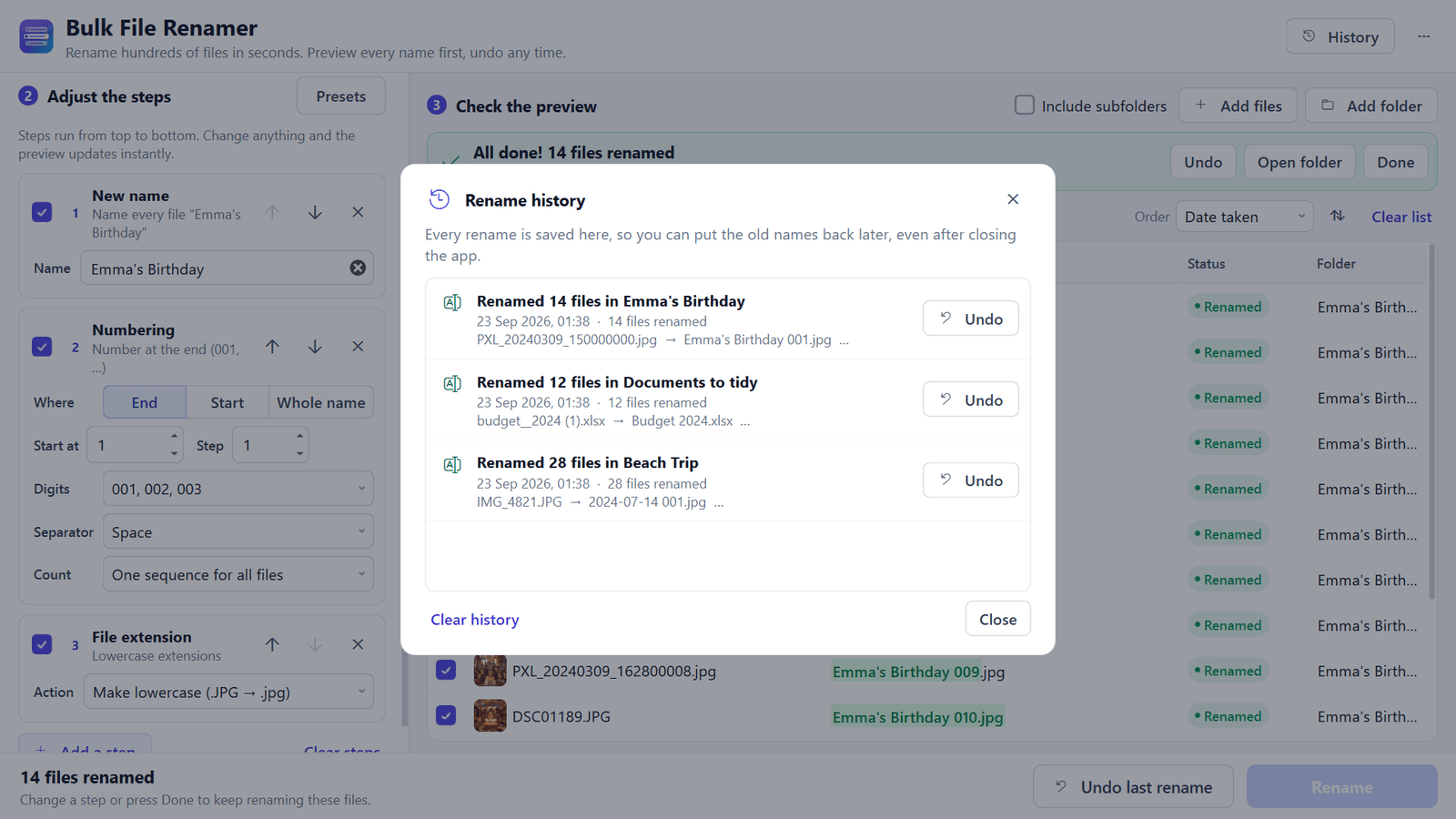
Bulk File Renamer turns folders full of names like IMG_4821.JPG and "invoice_final - Copy (2).pdf" into names you can find, such as "2024-07-14 Beach Trip 001.jpg". Add a folder, pick a quick start or build your own steps, check the live preview with the changed part highlighted, then press Rename. Photos by date taken, name + number, tidy-up for messy copies, find & replace, numbering, case changes, and more. Duplicate names get (2) automatically — nothing is overwritten. Full rename history with Undo for every batch, even days later. No account, no ads, no internet access, no telemetry. One-time purchase. Windows 10 version 1809+ (x64).
- Rename hundreds of files at once with a live preview of every new name
- Photos by date taken from JPG, HEIC, PNG, WebP, MP4, MOV and more
- Name + number in the order photos were taken; tidy up "- Copy" and "(1)"
- Find & replace, add text, remove characters, numbering, case, and extensions
- Duplicate names get (2) automatically — nothing is overwritten
- Undo any past rename from History, even after restarting
- Drag and drop files, folders and subfolders; save steps as presets
- Works offline: no account, no uploads, no ads
Screenshots