Share Files PC is a modern desktop application for seamless wireless file sharing between Windows PCs and mobile devices. Share Files PC enables instant file transfers over Wi-Fi networks or direct device-to-device connections without requiring cloud services, accounts, or external dependencies. All transfers are local - your data never leaves your network, ensuring complete privacy and security.
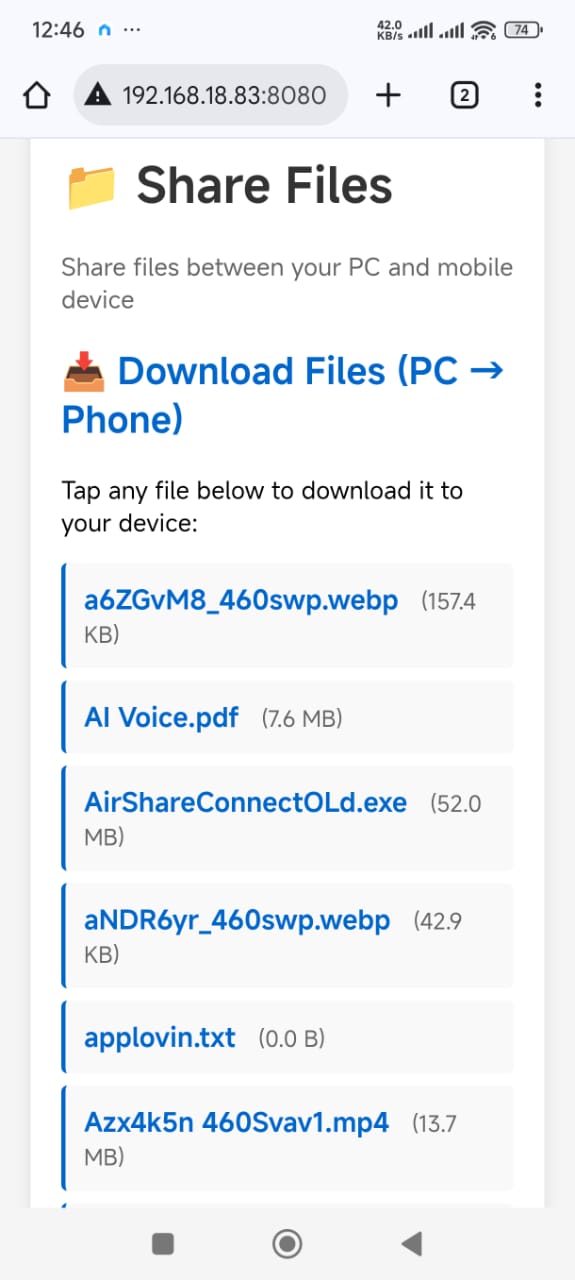
Create a local HTTP server to share files from your PC with mobile devices on the same network. No complicated setup required.
Upload files from mobile devices to your PC directly through a web browser interface. Multiple file support with simultaneous transfers.
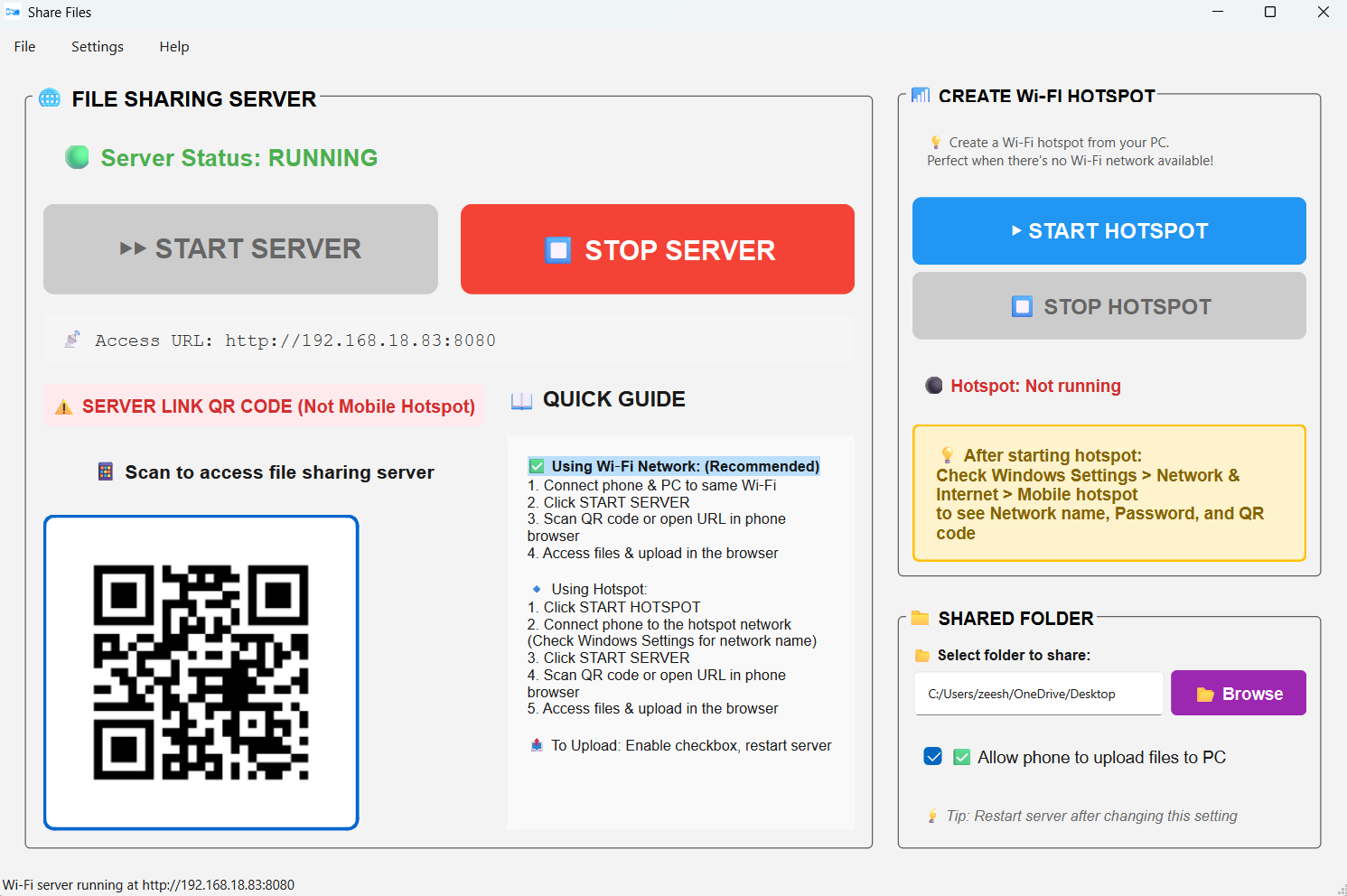
Quick access via QR code scanning - no need to manually type URLs. Scan and connect instantly.
Create a Windows Mobile Hotspot directly from the app for scenarios without a central Wi-Fi network. Perfect for offline file sharing.
Clean, intuitive desktop interface with large, easy-to-understand icons and visual guidance. User-friendly for all skill levels.
Live server status, hotspot status, and connection information. Progress tracking for file transfers.
All transfers are local - your data never leaves your network. No accounts, no cloud storage, complete privacy.
Upload and download multiple files simultaneously. Handle large batches of photos, videos, and documents efficiently.
Quickly transfer photos, videos, and documents between phone and PC without USB cables or cloud services.
Share large files without email size limits or cloud storage quotas. Perfect for high-resolution photos and videos.
Backup mobile device files to PC over local network. Keep your data safe without using cloud storage.
Share files in environments without internet connection using hotspot mode. Works completely offline.
Download Share Files PC from the Microsoft Store and start sharing files seamlessly between your devices!